Key Takeaways
- Alt text is a short description of an image, stored in the
altattribute of its HTML. Screen readers read it aloud, and Google uses it to understand what the image shows. - One question tells you what to write: what would someone miss if they couldn’t see this image?
- Google reads alt text alongside computer vision and the rest of the page. It also warns that keyword-stuffed alt text “may cause your site to be seen as spam.”
- The same image can need different alt text on different pages. Decorative images get an empty
alt="", and linked images should describe where the link goes. - WebAIM’s 2026 report found images with no alt text on 53.1% of the top 1 million home pages.
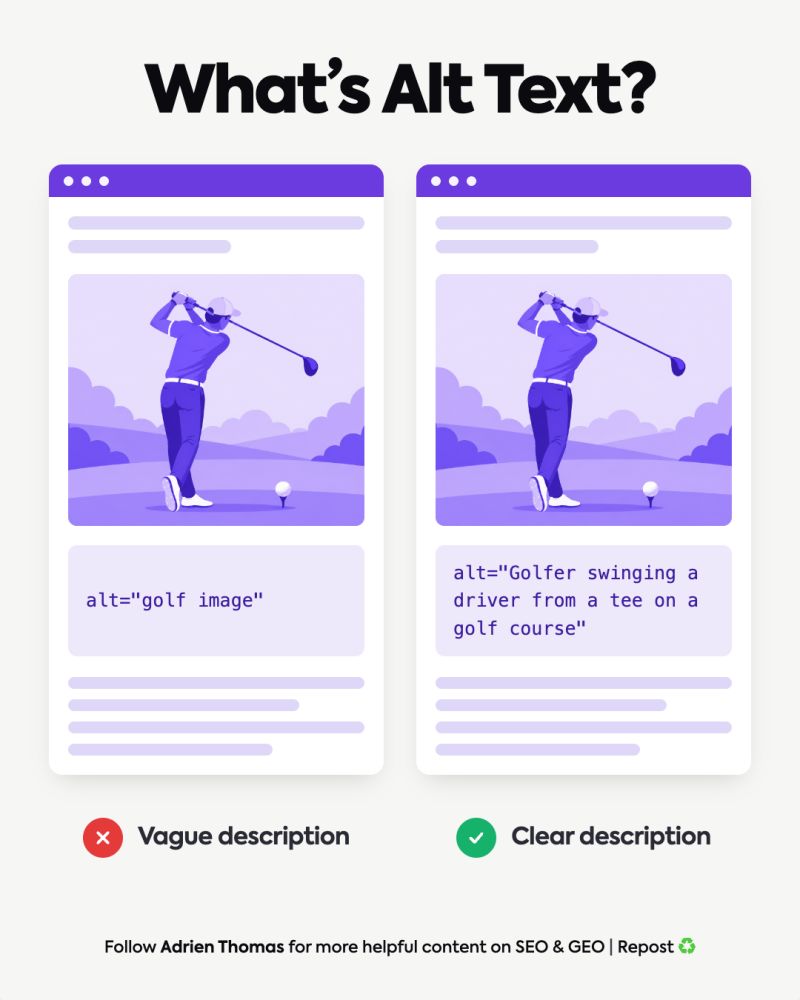
Alt text SEO comes down to one habit: describe each image for someone who can’t see it. Take a photo of a golfer mid-swing. “Golf image” tells a screen reader user almost nothing, and it tells Google almost nothing either. “Golfer swinging a driver from a tee on a golf course” says who is in the picture, what they’re doing, and where. The description that helps a person is the same one that helps Google, so you only have to write it once.
What Is Alt Text?
Alt text, short for alternative text, is a description of an image written into the page’s HTML:
<img src="golf-swing.jpg" alt="Golfer swinging a driver from a tee on a golf course">
You’ll also hear it called an “alt tag” or “alt attribute.” Technically, alt is an attribute of the <img> tag, but all 3 names point to the same thing.
Visitors don’t normally see it. Screen readers read it aloud to people with visual impairments, and browsers display it when the picture fails to load.
Alt text often gets confused with 2 other things. A caption is visible text under the image, shown to every visitor. The title attribute appears as a tooltip when you hover, and MDN is clear that it’s “not an acceptable substitute for the alt attribute.” Use alt text to describe the image, and a caption when everyone should read the information.
Weak descriptions are common. WebAIM tests the home pages of the top 1 million websites every year, and in its 2026 report, 10.8% of images with alt text had a questionable description, like “image,” “graphic,” or a file name.
Does Alt Text Help SEO?
Yes. Google can analyse images on its own, and it still reads alt text. Its image SEO documentation says it plainly: “Google uses alt text along with computer vision algorithms and the contents of the page to understand the subject matter of the image.”
Computer vision tells Google there’s a golfer on a golf course. Your alt text tells it which detail matters on this page. That context helps the image show up in Google Images and helps Google understand the page. It costs you one sentence per image.
Its own puppy example follows the same logic. For a puppy photo, it rates no alt text as bad, alt="puppy" as better, and alt="Dalmatian puppy playing fetch" as best.
Keyword stuffing is where alt text backfires. Google says alt text filled with keywords “results in a negative user experience and may cause your site to be seen as spam.” The goal is an accurate description, with the keyword included only when the image actually shows it.
The Question Behind Good Alt Text
“The useful question is: what would someone miss if they couldn’t see this image?”
Adrien Thomas, co-founder of Crescendo
Accessibility comes first. Users who can’t see the image should still get its information. If the image shows the driver you’re reviewing, they need to know which driver. If it shows the correct grip, they need the grip described.
It’s also what the accessibility standard asks for. WCAG, the W3C’s Web Content Accessibility Guidelines, requires that “all non-text content that is presented to the user has a text alternative that serves the equivalent purpose.” Some regulations build on it: in the U.S., the Department of Justice’s web rule says state and local government websites usually need to meet WCAG 2.1, Level AA. Check which rules apply in your market.
Many sites skip this step entirely. WebAIM found images with no alt text on 53.1% of home pages, and 16.2% of all home page images had none. A screen reader user gets nothing from those.
The question also tells you when to write nothing. If the honest answer is “nothing,” the image doesn’t need a description.
Alt Text Best Practices
Good alt text does 4 things:
- Describes what the image shows. If the image is a button or a link, describe what it does.
- Stays specific and short. “Golfer swinging a driver from a tee” beats “person playing a sport outdoors.” One sentence usually covers it.
- Fits the page. Describe the image for the reason it’s on this page.
- Uses keywords only where they fit. If the page is about golf drivers and the image shows one, “driver” belongs in the alt text.
The mistakes we see most often in audits:
- Opening with “image of” or “picture of.” Assistive technology already announces that it’s an image.
- Keyword lists. “Golf driver best golf driver golf swing golf equipment” says nothing useful.
- File names. “IMG_0423” gives a reader and a crawler nothing to work with.
- Copying the caption. If the text next to the image already says it, the alt text can add the visual detail instead.
Google doesn’t publish a character limit, and we wouldn’t count characters. Describe what matters and stop. If an image needs a long explanation, like a detailed chart, put it in the page text.
Alt Text Examples by Image Type
The right description depends on what the image is for. Here are alt text examples for the image types we come across most on client sites:
| Image type | Weak alt text | Better alt text | Why |
|---|---|---|---|
| Product photo | “golf club” | “Graphite-shaft golf driver with a black 460cc head” | Gives the details a buyer would look for |
| Tutorial image | “golf swing” | “Golfer at the top of the backswing, left arm straight” | Describes the position the lesson teaches |
| Linked image | “golf driver” | “Guide to choosing a golf driver” | Says where the link goes |
| Image with text | “banner” | “Free shipping on orders over $50” | Repeats the words shown in the image |
| Logo | “logo” | “Crescendo” | The brand name is the information |
| Chart | “chart” | “Bar chart: 53.1% of home pages had images with missing alt text in 2026” | Gives the takeaway, with details in the page text |
| Decorative shape | “blue wave background” | alt="" | Adds no information, so screen readers skip it |
Only describe what you can actually see. If you can’t read the brand on the club head, leave the brand out.
The type of site changes what matters most. On an online store, a product photo needs the details a buyer checks, like color, material, or size. On a blog or tutorial, focus on the step or result the picture shows. Portfolio and art sites need the subject, medium, and style of the work, for example “Oil painting of a fishing boat at dawn, in loose brushstrokes.” On a local business site, name the place or the people, like the team in front of the shop. Whatever the content, the question stays the same.
Same Image, Different Page
The same photo can need 2 different descriptions. As Adrien put it in the comments under the original LinkedIn post:
“The same image can need different alt text depending on where you use it. On a golf equipment page, the relevant detail might be the driver being shown. In a swing tutorial, it might be the golfer’s position or movement.”
Adrien Thomas, co-founder of Crescendo
The same logic covers 2 special cases.
Decorative images. A background pattern or divider adds no information. Give it an empty alt="" and screen readers will skip it. The W3C’s alt decision tree asks the same question: does the image add meaning to the page? Keep the attribute, though. According to the W3C, when alt is missing entirely, some screen readers read out the file name instead.
Images used as links. Google uses a linked image’s alt text as anchor text, so describe the destination. WebAIM found that 45% of images missing alt text were links, which leaves screen reader users with links that don’t say where they lead. We covered the anchor text side in our post on why “click here” wastes the context your links should carry.
Alt Text SEO and GEO: What Changes With AI Search
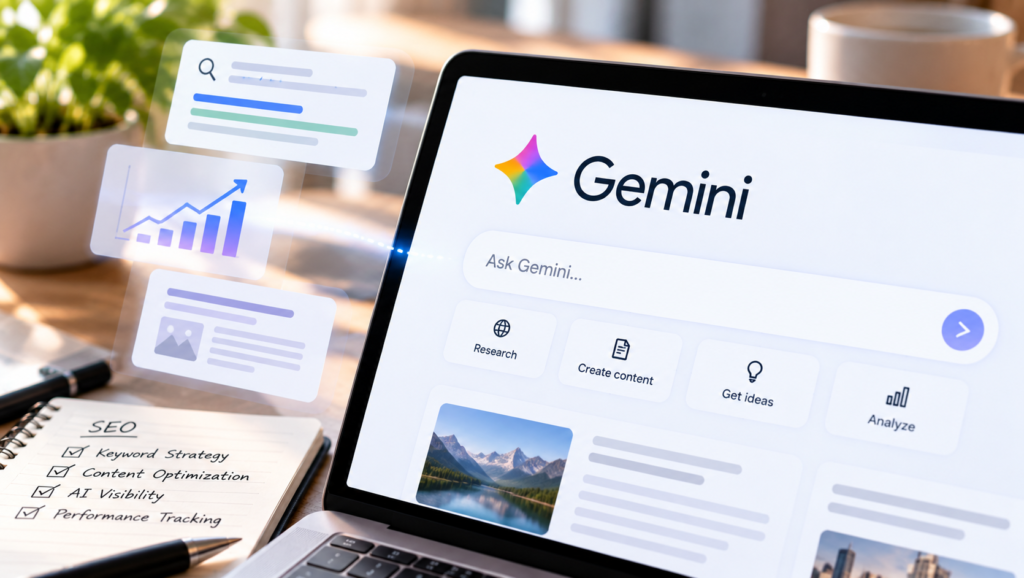
Google says SEO best practices still apply to AI Overviews and AI Mode, because its AI features are “rooted in our core Search ranking and quality systems.” Images are part of that. Google’s AI search guide notes that these features can bring in relevant images, and adds: “If you’re already following our image SEO best practices and video SEO documentation, you’re already optimizing for generative AI search.”
For ChatGPT, Perplexity, and Claude, we haven’t seen any data on how much alt text counts, and we’d be sceptical of anyone who claims to have it. What we do know: a crawler reading your HTML reads the alt text too, and “Golfer swinging a driver from a tee” gives it far more than “IMG_0423.”
Treat alt text like the other on-page basics: a small signal, and cheap to get right. It won’t get your brand into an AI answer by itself.
How to Check and Add Alt Text
Before you publish an image, run 4 checks:
- Does this image carry information that needs a description?
- Does the alt text describe it accurately?
- Would it help someone who can’t see the image?
- Is it specific and natural?
If the answer to the first check is no, use alt="" and move on.
To check any image in Chrome, right-click it and select Inspect. Chrome opens the page code on the image’s <img> tag. Look for alt="...". If there’s no alt at all, the image has no alt text.
To check a whole site, use an SEO crawler. Screaming Frog (free for up to 500 URLs), or the site audit tools in Ahrefs and Semrush, list every image with missing alt text, so you can work through them page by page.
Most CMS platforms, WordPress included, show an alt text field when you upload an image. Fill it in then, while you still know why the image is there.
AI alt text generators can give you a first draft, especially on a large media library. Run each draft through the same question before you publish it, because a tool can describe the picture without knowing why it’s on your page. Tell the tool what the page is about, check any brand or name it adds, and never publish a draft unread.
Start With Your Most Important Pages
You don’t need to fix every image on the site at once. Start with the pages that bring traffic or leads, check each image against the question, and fill in or empty the alt text as needed.
At Crescendo, we check alt text every week as part of our on-page and GEO audits, along with how clearly each page explains itself to Google and to AI platforms. If you want us to look at yours, contact us at Crescendo.
FAQ
What is alt text?
Alt text is a short description of an image, stored in the alt attribute of its HTML. Screen readers read it aloud, browsers show it when the image doesn’t load, and Google uses it to understand the image.
Does alt text help SEO?
Yes. Google says it uses alt text along with computer vision and the page content to understand an image, and linked images’ alt text works as anchor text. It only helps when it describes the image accurately: Google warns that keyword stuffing may get your site seen as spam.
What are good alt text examples?
“Golfer swinging a driver from a tee on a golf course” instead of “golf image.” Google’s own example is “Dalmatian puppy playing fetch” instead of “puppy.” Good alt text is specific and short, and it describes the detail that matters on that page.
How long should alt text be?
Google doesn’t set a limit. One short, specific sentence covers most images. If an image needs more explanation, like a detailed chart, put it in the page text.
What alt text should decorative images use?
Leave it empty: alt="". Screen readers then skip the image. Don’t remove the attribute entirely, because some screen readers will then read out the file name.