
A redesign is not an SEO migration plan. URL continuity and verification decide whether authority survives the launch.
CRESCENDO / PRACTICAL SEO FRAMEWORK
The safe sequence for a website migration
An editorial decision framework, not a guaranteed ranking formula.
1
OLD URL INVENTORY
Capture every valuable URL
2
RELEVANT 301 MAP
Map to equivalent destinations
3
LAUNCH QA
Test technical signals
4
GSC + LEADS
Monitor search and pipeline
A website migration can happen for good reasons: replatforming, a domain change, a redesign or consolidation of a large content library. The risk begins when a team sees the launch as a design and development project rather than a change to how search engines and users discover URLs.
A successful migration is not a guarantee that rankings will never move. Google says temporary visibility fluctuations are normal when URLs change. It advises mapping old URLs to new destinations, implementing permanent redirects and monitoring both sites in Search Console. Google migration guidance.
Before launch: preserve the old site’s search assets
Take a dated inventory of all crawlable URLs, indexed pages, organic landing pages, sitemap URLs, canonical tags and important backlinks. Export at least a meaningful baseline period from Search Console and analytics. Keep a separate list of pages that generate leads or support sales, even if they rank for only a handful of terms.
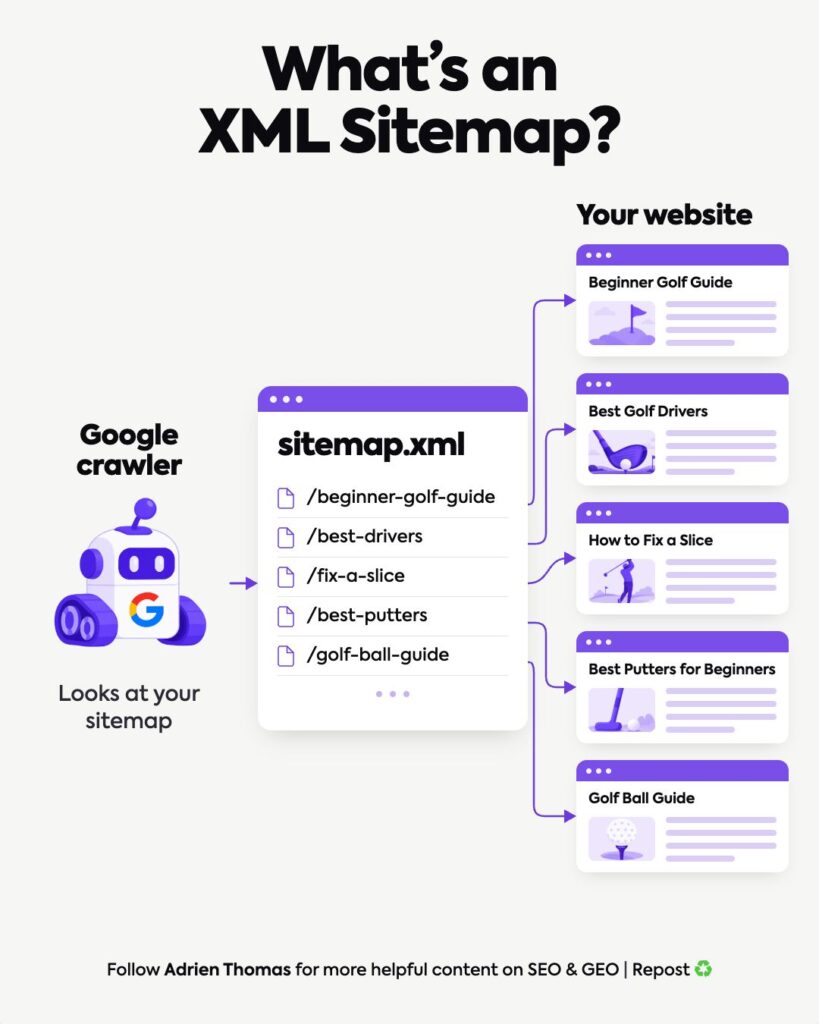
Do not use an XML sitemap as the entire old-site inventory: it may omit valuable URLs and include URLs that no longer deserve to be indexed. Combine CMS exports, crawling, analytics and link data.
Build a one-to-one URL map
For every important old URL, specify the most relevant new URL, the final HTTP status, canonical target and owner. Prioritize preserving unique intent. A product page should redirect to its equivalent, not to a generic homepage simply because the product was renamed.
A useful mapping sheet includes old URL, new URL, content status, current traffic value, referring domains, owner and QA result. Explicitly record 404/410 decisions for retired content that has no relevant successor.
Audit the staging environment
Check templates, navigation, internal links, titles, metadata, rendered content, canonicals, hreflang if applicable, structured data and mobile usability. Confirm staging protection will not accidentally carry over as
noindexor a blocking robots rule. Test images, PDF assets and conversion forms, not just page layouts.
Inspect whether the new page answers the same query intent as its predecessor. A technically correct redirect cannot fully compensate for deleting essential content.
Launch: redirects, canonicals and tracking
Configure server-side permanent redirects where URLs move, preferably without avoidable chains. Confirm the chosen production host and protocol resolve consistently. Update canonical tags and internal links to final URLs. Submit the current XML sitemap. Make sure analytics, form submissions and CRM tracking remain functional.
For a domain migration, follow Google’s Change of Address guidance where applicable. Google recommends keeping old-to-new redirects as long as possible, generally at least one year; users may benefit from keeping them indefinitely. Google guidance.
The first 72 hours: check technical breakage
Crawl old and new URLs, sample every major template and check 404s, 500s, blocked pages, unexpected canonicals, orphaned pages and broken conversion paths. Confirm the most important redirects reach the intended final destinations and the new sitemap contains only appropriate canonical pages.
Avoid interpreting a temporary fall in impressions as immediate proof of failure. Indexing and search data lag behind technical events.
The following weeks: monitor business-critical cohorts
Segment pre- and post-migration performance by page group, country and device where relevant. Compare like-for-like periods and observe seasonality and known demand changes. Track indexation progress, landing-page queries and qualified leads; investigate persistent losses rather than claiming every fluctuation is caused by the migration.
Crescendo’s migration control register
We recommend a register with three independent sign-offs: URL integrity (maps, redirects, status codes), content integrity (intent, copy, metadata, key sections) and business integrity (forms, analytics, CRM). This is a project-control method, not a technical ranking formula.
| Gate | Evidence required | Accountable role |
|---|---|---|
| Preflight | Frozen URL mapping and baseline export | SEO lead |
| Launch | Redirect, canonical and sitemap tests | Developer + SEO |
| Post-launch | Search Console, traffic and lead checks | SEO + marketing owner |
The Crescendo Take: preserve the query-to-page relationship
The most expensive migration mistake is often not a missing redirect. It is changing the content architecture without realizing that Google associated an old URL with specific user questions. Keep the mapping of query → intent → page → commercial action visible throughout the project.
FAQ
Do 301 redirects lose PageRank?
Google’s migration documentation says permanent redirects do not inherently cause a PageRank loss. Other changes—missing content, incorrect mappings or crawl issues—can still affect performance.
How long does SEO recovery take after a migration?
There is no fixed timetable. Google says medium-sized sites may take weeks or longer for new URLs to replace old ones, depending on site scale and crawling conditions.
Should I migrate and rewrite the whole website at the same time?
It is generally easier to diagnose changes when technical relocation and major content rewrites are phased, where project constraints permit.
Next step
For international moves, combine this guide with our International SEO Checklist and 301 redirect guide. Crescendo can review your migration plan before URLs change.