
A competitor’s XML sitemap is the only competitive intelligence source they build, maintain, and publish for you – free, structured, machine-readable, and updated every time they ship a page. For competitor content analysis, nothing else gives you a cleaner, timestamped record of what a rival decided was worth publishing.
Almost nobody uses it. Here’s the proof: search “competitor sitemap analysis” and the top eight results are free sitemap tool pages. Not one guide.
Meanwhile there’s no page anywhere that connects sitemap monitoring to whether those new competitor pages eventually get cited by ChatGPT or AI Overviews. That’s the gap this article fills – with a system you can run for $0 and set up in an afternoon.
In short
- An XML sitemap lists every URL a competitor wants indexed, often with a lastmod timestamp. It’s a publishing log they hand you voluntarily.
- Sitemaps beat content alerts on structure and completeness, but they carry no traffic, ranking, or intent data – you still need a second layer.
- The monitoring loop is four moves: snapshot, diff, classify, prioritise. Automate the first two, never the last two.
- New URLs tell you what a competitor is betting on. Deleted URLs and abandoned sections tell you what’s failing – the signal most teams miss.
- New competitor pages are also new candidate sources for AI answers. Sitemap monitoring is now upstream of GEO.
Why Sitemaps Beat Content Alerts
Most teams start competitor content analysis with alerts: Google Alerts, RSS on a blog, a Mentionlytics-style brand monitor. These watch the front door. A sitemap shows you the whole building.
Alerts are also noisy and incomplete.
They miss pages you don’t follow, pages published without a blog post, silent updates to existing URLs, and anything behind a category or a language folder you didn’t think to subscribe to. A sitemap has no such blind spots: if a page exists and the competitor wants it found, it’s there.
What a Sitemap Tells You That a Blog RSS Feed Does Not
An RSS feed shows you blog posts. A sitemap shows you:
- Product and feature pages –
/features/,/integrations/,/solutions/ - Comparison and alternative pages –
/vs/,/alternatives/,/compare/ - Pricing and plan pages – a competitor repackaging pricing is a strategic signal, not a design update
- Programmatic and glossary pages –
/glossary/,/what-is-...,/tools/ - Customer proof –
/case-studies/,/customers/ - Localised versions –
/de/,/fr-fr/,/es-mx/folders reveal market expansion - New templates and resources – the lead-magnet layer
That last list is where competitive advantage actually lives. Nobody announces an integration page in a newsletter.
The Limits: No Traffic, No Rankings, No Intent
Be honest about what you’re looking at. A sitemap gives you inventory and timestamps, nothing else.
- No traffic data. A new URL might get 20 visits or 20,000.
- No ranking data. Nothing tells you where it’s positioned.
- No search volume or intent behind the target keyword.
- No proof of indexing. Presence in a sitemap is a request, not a guarantee. Google treats
<lastmod>as a signal it uses only when it’s consistently and verifiably accurate, and it ignores<priority>and<changefreq>entirely. - No proof the page works. URLs can be stale, 404, canonicalised away, or behind a login.
So use it for what it’s good at: what they’re building, how fast, and where they’re placing bets. Layer ranking and traffic tools on top for the rest.
Finding the Sitemaps
Start with one shell command. It answers the question in about two seconds.
curl -s https://competitor.com/robots.txt | grep -i sitemap robots.txt First
Almost every site that cares about search declares its sitemap in robots.txt with a Sitemap: directive. That’s the fastest route and the one Google’s own robots.txt documentation points to. Look for lines like:
Sitemap: https://competitor.com/sitemap_index.xml Sitemap: https://competitor.com/blog/sitemap.xml Two things worth noting. First, sites can declare multiple sitemaps – a large publisher will typically have separate ones for news, video, and each section. Second, the
Sitemap:directive is a discovery hint only. It doesn’t overrideDisallowrules, and it can’t tell you whether anything is actually crawlable.
Also: Google retired the sitemap ping endpoint back in 2023, so you can’t rely on a competitor pinging you a fresh sitemap. Submitting through Search Console is now the normal route – which means the file on the server is usually the freshest version available to you.
Common Sitemap Paths
No Sitemap: line? Try the usual suspects. These cover the vast majority of stacks we encounter:
| Path | Usually means |
|---|---|
/sitemap.xml | Generic, framework default (Webflow, Framer, Squarespace, Wix) |
/sitemap_index.xml | Parent index file listing child sitemaps |
/wp-sitemap.xml | WordPress core sitemap since v5.5 |
/sitemap.xml.gz | Gzipped sitemap – pull it and gunzip |
/page-sitemap.xml, /post-sitemap.xml, /product-sitemap.xml | Yoast or Rank Math on WordPress |
/sitemap_products_1.xml, /sitemap_pages_1.xml | Shopify’s multi-file structure |
/news-sitemap.xml, /video-sitemap.xml, /image-sitemap.xml | Format-specific sitemaps (Google News, video, image) |
/en/sitemap.xml, /de/sitemap.xml | Localised sub-sitemaps |
A quick way to test them all at once:
for p in sitemap.xml sitemap_index.xml wp-sitemap.xml sitemap.xml.gz news-sitemap.xml; do code=$(curl -s -o /dev/null -w "%{http_code}" "https://competitor.com/$p") echo "$code https://competitor.com/$p" done Sitemap Index Files and Nested Sitemaps
Large sites use an index file: a sitemap that lists other sitemaps. Under the sitemaps.org protocol, a single sitemap file caps out at 50,000 URLs and 50 MB uncompressed, so anything bigger is split – and the split itself is informative.
If you see this, you know something before you read a single URL:
<sitemapindex xmlns="http://www.sitemaps.org/schemas/sitemap/0.9"> <sitemap><loc>https://competitor.com/blog-sitemap.xml</loc></sitemap> <sitemap><loc>https://competitor.com/integrations-sitemap.xml</loc></sitemap> <sitemap><loc>https://competitor.com/glossary-sitemap.xml</loc></sitemap> </sitemapindex> A /glossary-sitemap.xml with its own file means someone decided the glossary is a real channel. That’s a strategy sentence, written in XML.
Your crawler has to follow the index recursively. Don’t just parse the first file.
What to Do When There Is No Sitemap
Some sites genuinely ship without one. Others block it, return a 404, or serve it only to whitelisted crawlers. In that case:
- Use the Wayback Machine. Sitemaps get archived surprisingly often. The CDX API (
web.archive.org/cdx/search/cdx?url=competitor.com/sitemap.xml&output=json) shows you which snapshots exist – sometimes giving you free historical sitemaps a live crawl could never provide. - Crawl the site instead. Screaming Frog’s free tier covers 500 URLs – enough for most SMB competitors. Crawl, then use the internal-links report to find your own baseline URL list.
- Check a
sitemapsubdomain or a CDN path – some setups serve it fromassets.orcdn.. - Ask the CMS.
/robots.txton the subdomain or the localised host often reveals a sitemap the root domain hides.
Reading a Sitemap Like an Analyst
Downloading the file is the easy part. The insight is in the patterns.
URL Patterns Reveal Content Strategy
Read the paths as intent groups, not as a list:
/blog/,/insights/,/resources/→ editorial play/vs/,/alternatives/,/compare/→ high-intent comparison play (competitors attack the category leader here)/integrations/,/apps/,/marketplace/→ product-led / ecosystem play/glossary/,/what-is-,/tools/→ programmatic and answer-shaped play/directory/,/vendors/,/[city]/→ programmatic location or listing play/case-studies/,/customers/→ proof play
If a competitor’s sitemap suddenly grows a /marketplace/ folder, they didn’t hire an SEO. They changed their business model.
lastmod Dates Reveal Publishing Cadence
<lastmod> is what turns a static file into a timeline. Group URLs by week and you get a publishing cadence chart:
- 2–4 URLs/week → steady editorial operation
- 40–200 URLs in one week → a programmatic or template launch, not writing
- Zero new URLs for 8 weeks, then 60 → a relaunch, a migration, or a new team
- Constant churn on the same URLs → they’re iterating on existing pages, which usually means those pages are earning
One caveat: many CMS setups stamp <lastmod> with the build date, so the whole file updates whenever anything changes. Test for it – if 400 URLs share today’s date, your cadence data is junk. Fall back to comparing snapshots week over week instead.
Want to know how Google treats sitemap dates? Google’s own SEO Made Easy episode shares three sitemap tips, including how lastmod should be used.
New URLs vs. Updated URLs
Separate these two, because they mean different things:
- New URLs = capacity and investment. Someone budgeted for it.
- Updated URLs = iteration. They saw something in their data and are acting on it. An updated pricing page or an updated comparison page is often a bigger competitive threat than a new blog post.
- Removed URLs = the most underrated signal in the whole file. Deletions usually mean a failed bet or a consolidation – a topic they’re quietly exiting.
Section Growth Over Time
Count URLs per folder each month and watch the shape of the line. A folder that goes from 30 to 300 in a quarter is being funded. A folder that sits flat for a year is a legacy asset nobody’s touching. That ratio – new sections growing, old ones frozen – predicts where the competitor’s rankings will be in six months far better than any backlink delta.
Building the Monitoring System
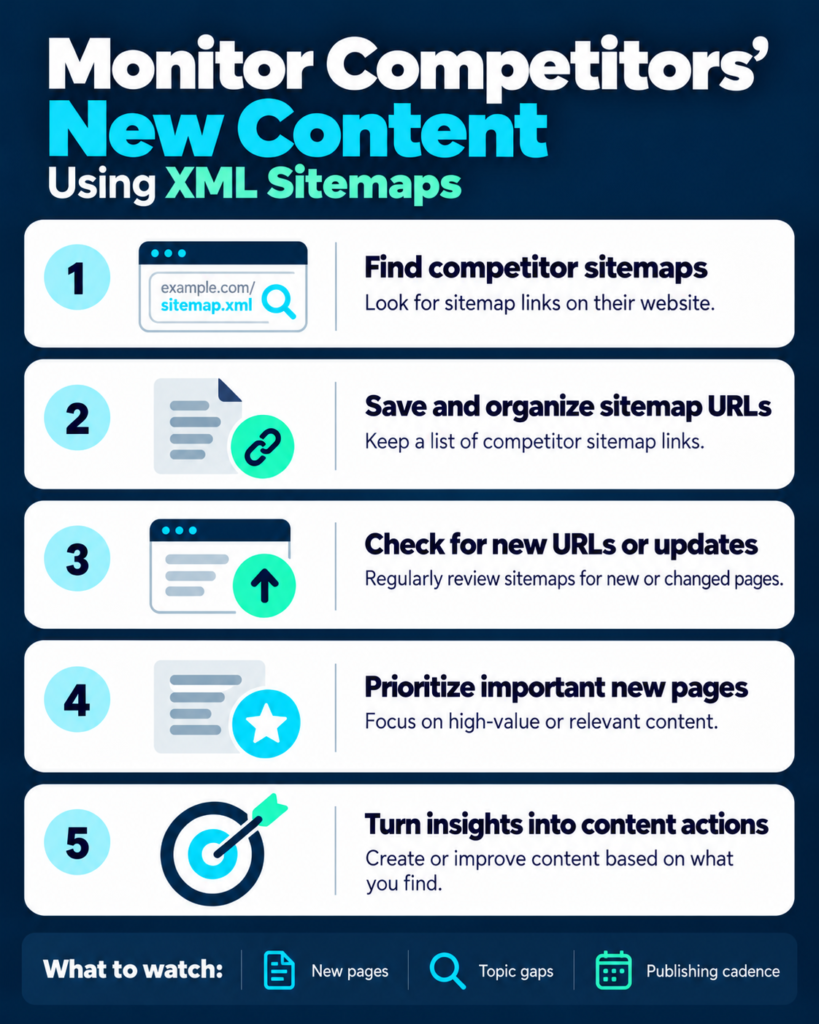
Five steps. Steps 1 and 2 get automated. Steps 3 to 5 stay human, because judgement isn’t a cron job.
Step 1 – Snapshot the Baseline
Pull every sitemap today, flatten the index, and store URL + lastmod as JSON. One script, no dependencies beyond requests.
# sitemap_diff.py import json, pathlib, requests import xml.etree.ElementTree as ET NS = {"sm": "http://www.sitemaps.org/schemas/sitemap/0.9"} HEADERS = {"User-Agent": "Mozilla/5.0 (compatible; ContentWatch/1.0)"} SITEMAP = "https://competitor.com/sitemap_index.xml" SNAP = pathlib.Path("snapshot.json") def collect(url, seen=None): seen = seen if seen is not None else set() if url in seen: return [] seen.add(url) root = ET.fromstring(requests.get(url, headers=HEADERS, timeout=30).content) if root.tag.split("}")[-1] == "sitemapindex": out = [] for loc in root.findall("sm:sitemap/sm:loc", NS): out += collect(loc.text.strip(), seen) return out return [ {"url": u.findtext("sm:loc", default="", namespaces=NS), "lastmod": u.findtext("sm:lastmod", default="", namespaces=NS)} for u in root.findall("sm:url", NS) ] today = {u["url"]: u["lastmod"] for u in collect(SITEMAP) if u["url"]} old = json.loads(SNAP.read_text()) if SNAP.exists() else {} added = sorted(set(today) - set(old)) updated = sorted(u for u in set(today) & set(old) if today[u] != old[u]) removed = sorted(set(old) - set(today)) SNAP.write_text(json.dumps(today, indent=2)) print(f"new {len(added)} | updated {len(updated)} | removed {len(removed)} | total {len(today)}") for u in added: print("NEW ", u) for u in removed: print("GONE ", u) Run it once. Commit snapshot.json. That’s your baseline.
Step 2 – Automate the Diff
Weekly is the right cadence for most teams – daily produces noise, monthly lets a competitor ship a whole content cluster before you notice. Two options that cost nothing:
Cron on any box:
0 7 * * 1 cd /path/to/watch && python3 sitemap_diff.py >> diff.log 2>&1 GitHub Actions (no server, free for public repos):
name: sitemap-watch on: schedule: [{cron: "0 7 * * 1"}] jobs: diff: runs-on: ubuntu-latest steps: - uses: actions/checkout@v4 - run: pip install requests - run: python3 sitemap_diff.py - run: | git config user.email bot@local && git config user.name bot git commit -am "snapshot $(date -I)" || echo "no changes" git push Every snapshot is a commit, so git log -p snapshot.json becomes a permanent, diffable history of your competitor’s publishing. Pipe the weekly output into Slack with a webhook and you’re done.
Step 3 – Classify New URLs by Type
Raw URLs are noise. Classify them the moment they land:
import re RULES = [ ("editorial", r"/(blog|insights|resources|guides|news)/"), ("comparison", r"/(vs|alternatives|compare)/"), ("product", r"/(features|integrations|apps|marketplace|solutions)/"), ("commercial", r"/(pricing|plans|demo|free-trial)"), ("programmatic", r"/(glossary|what-is-|tools?/|templates?/|directory/)"), ("proof", r"/(case-studies|customers|testimonials)/"), ] def classify(url): for label, pattern in RULES: if re.search(pattern, url, re.I): return label return "other" Now your weekly report says “14 new URLs: 9 comparison, 4 integration, 1 pricing” instead of pasting 14 links. That’s a sentence a stakeholder can act on.
Step 4 – Prioritise What to Act On
Score each new URL on three questions:
- Intent match – does it target something your buyers actually evaluate?
- Overlap – do you have a page that answers the same job? If yes and theirs looks better, that’s urgent. If no, that’s a gap.
- Investment signal – is this a one-off or the third page in a new folder? Never react to a page. React to a folder.
A single competitor blog post is information. Nine comparison pages in a month is a decision.
Step 5 – Track Over Time
Keep one log. Date, competitor, new count, category split, notable URLs, action taken. Review it monthly, not weekly – the weekly diff finds things, the monthly review finds trends.
Tooling options, honestly compared:
| Tool / method | Cost | Best for |
|---|---|---|
| Manual check (browser + spreadsheet) | $0 | One-off audits, 1–3 competitors |
Google Sheets + IMPORTXML | $0 | Lightweight weekly checks on small sitemaps |
| Python script + cron or GitHub Actions | $0 | Unlimited URLs, full history, custom classification |
| Dedicated content/rank tracker | Free tiers exist; paid plans from ~$100/mo | Non-technical teams, visual page diffs, alerting |
| AI visibility platform | From $49/mo | Connecting new competitor pages to AI citations |
On the Google Sheets option, a formula like this pulls loc values from a namespaced sitemap:
=IMPORTXML("https://competitor.com/sitemap.xml", "//*[local-name()='loc']") It’s fine for a few hundred URLs. It breaks down on large, heavily nested, or gzipped sitemaps, and Google’s import quotas will stop it before the file does. Treat it as a starter, not a system.
For real workflows, use dedicated change-detection tools – Visualping, ChangeDetection.io, or Distill.io all have free tiers – or move to SE Ranking’s page-changes monitoring, which starts at about $100 per month billed annually and bundles it with competitor research.

What to Do With What You Find
A diff is not a strategy. Here’s how to turn one into the other.
Content Gap Response
If the competitor shipped a page targeting a job your buyers have and you have nothing, you have a gap – but only if there’s demand. Check volume before you write. A competitor publishing into low-demand territory is doing you a favour, not a disservice.
Topic Abandonment Signals
Watch the negative column. Cluster removed URLs by folder. If a competitor drops 40 pages from /use-cases/ and adds 60 to /integrations/, they’ve moved from a vertical story to an ecosystem story. That pivot is worth more to you than any single new page, because it tells you where their roadmap is going – and where their existing rankings will start to decay.
Competitor Pivot Detection
Three signals, read together:
- A new folder appearing → new bet
- A folder going quiet → defunded
- A pricing or plans URL being updated → packaging change, usually ahead of a launch
When all three show up in the same 60-day window, you’re looking at a repositioning, not a content sprint. That’s the moment to review your own positioning.
Feeding the Findings Into Your Own Plan
Push the classified feed straight into your content backlog: comparison pages go to product marketing, programmatic gaps go to SEO, and anything answer-shaped goes to whoever owns your AI visibility. Our GEO audit checklist walks through which of those page types actually earn citations – the answer is not “all of them”.
If you’d rather hand the analysis off, that’s what our AEO services exist for.
Sitemaps and AI Search Visibility
This is the part nobody has written about, and it’s the reason sitemap monitoring just got more valuable.
Which sources do AI platforms actually pull from? Our team explains how ChatGPT, Google AI Overviews and Perplexity each draw on different source lists, and what that means for your strategy.
Why New Competitor Pages Matter for AI Answers
AI answers are assembled from sources. When a competitor publishes a clean definition page, a pricing breakdown, or a “best X for Y” comparison, they’re building exactly the page shapes that get retrieved and cited. Their sitemap is a pre-publication signal of the answers they intend to own.
Two consequences:
- A competitor’s new
/what-is-or/vs/page can be cited in ChatGPT or an AI Overview within weeks, long before it accumulates links. Sitemap monitoring gives you that lead time. - Their sitemap tells you what AI crawlers can reach. If they’re shipping structured, crawlable pages at volume while you’re still gating content, the gap compounds silently.
For the mechanics of turning that into visibility, our LLM SEO guide covers the retrieval and citation side in depth.
Tracking Whether Those Pages Get Cited
Monitoring competitor content doesn’t stop at the sitemap. The second layer is citation tracking: for each new competitor URL, ask whether it shows up as a source in the prompts you care about.
Tools like Clairon track citations, share of AI visibility, and competitor mentions across ChatGPT, Perplexity, Gemini, and AI Overviews – so you can connect “they published 14 pages” to “they took 3 answers we used to win”. Run the two systems side by side and you get a full picture: publishing intent from the sitemap, competitive outcome from the citation data.
Use Case 1 – Agency Detects a Competitor’s Product-Led Content Pivot 6 Weeks Early
Illustrative scenario drawn from agency work; figures are rounded and anonymised.
Setup: A B2B HR platform, mid-market, tracking six competitors in a weekly sitemap diff.
What the diff showed: In week 2 of monitoring, one competitor’s index file grew a new /integrations/ child sitemap. Week 1: 3 URLs. Week 3: 12. Week 5: 31.
What the agency did: Instead of reacting page by page, it read the folder. Nine months of editorial output had averaged 4 posts a month. This was shipping at 10–12 URLs a week – a different budget line entirely. The recommendation was blunt: pause a planned 12-post thought-leadership series and fund 20 integration pages plus a partner directory.
Outcome: Six weeks after the first integration URL appeared, the competitor had roughly 60 pages live in that folder and had launched a partner page. The client reached parity on the core 20 integrations in about four months – slower than the six-week head start, but fast enough to stay in AI answers for “does X integrate with Y” prompts, where the competitor had briefly been the only structured source.
The lesson: The signal wasn’t any single page. It was the folder appearing in the sitemap index, 40 publishing slots before it became obvious in rankings.
Use Case 2 – SaaS Team Finds 200 Orphan Pages in a Competitor’s Sitemap and Wins the Topic
Illustrative scenario; figures rounded and anonymised. This one shows the trade-off.
Setup: A workflow-automation SaaS team ran a one-off sitemap pull on its main competitor and found a /templates/ folder with 212 URLs – none of them linked from the site’s navigation. Genuine orphans, discoverable only through the sitemap and search.
The first reaction: Clone the model. The team scoped a 200-page template library and started producing.
The trade-off: Forty pages in, the diff history showed the competitor had added only 9 templates in five months. They’d built the library once and stopped. A demand check confirmed it: roughly 40 of the 212 had any real search demand; the rest were long-tail pages pulling negligible traffic and, by their own crawl, contributing little to citations.
What they shipped instead: 45 template pages covering the subset with actual demand, each deeper than the competitor’s – real instructions, screenshots, and schema. They abandoned the other 160. The topic was won on the 45, with about three months of production capacity saved from the original plan – capacity that went to comparison pages, which converted better.
The lesson: A sitemap gives you a competitor’s full inventory, not a validated roadmap. Size is not demand. The worthwhile question isn’t “how many pages do they have?” but “how many did they add recently, and do any of them match a job my buyers have?” An abandoned folder with 212 URLs is often just a failed experiment you can learn from for free.
How Crescendo Monitors Competitor Content
Our weekly routine, minus the client names:
- Diff 6–10 competitors from their sitemap index files, automated via GitHub Actions, every Monday.
- Classify each new URL into editorial, comparison, product, commercial, programmatic, or proof.
- Flag folder-level moves – not individual pages. A new folder gets a Slack ping; a new blog post gets logged.
- Track deletions and gaps, plus
lastmodchurn on pricing and comparison URLs. - Cross-reference with AI citation data, so we know which new competitor pages are actually taking answers away from clients.
- Push actions into the client’s content plan, ranked by intent match rather than by competitor volume.
The whole thing runs on free tooling except the citation layer. It’s the cheapest competitive intelligence we’ve ever installed, and it consistently produces findings that backlink tools miss – because backlinks tell you what worked, and sitemaps tell you what’s about to be tried.
Crescendo’s Take
We check competitor sitemaps before we check their backlinks. Backlink data describes the past. A sitemap describes the next quarter, and it’s sitting in the open, refreshed by the competitor’s own CMS. For an agency, ignoring it is leaving the best signal on the table for free.
The signal most teams miss is deletion. Everyone watches the new URLs. Almost nobody logs what disappears. When a competitor quietly drops 40 pages or lets a section go stale, they’re telling you where they stopped believing – and where their rankings will erode in six months. That’s your opening, and it’s invisible in every alert tool on the market.
Sitemap monitoring changes when AI answers are the target. In classic SEO you asked “will this page rank?” Now you also have to ask “is this a page a model would retrieve and cite?” A competitor shipping definition pages, pricing breakdowns, and structured comparisons at volume is building answer-shaped assets. So we classify new URLs by answer-ability, not just by topic, and we weight folders that produce citable, self-contained pages.
What we’d automate first: the diff and the classification. Those are deterministic and boring. Everything after that – deciding whether a folder signals a pivot, whether a gap has demand, whether to respond – stays with a human. Automation should hand you a clean, labelled feed, not an opinion. If you build one thing this quarter, build the weekly diff.
FAQ
Is it legal to monitor a competitor’s sitemap? Yes. Sitemaps are published specifically to be read by crawlers. You’re fetching a public file the site owner serves to anyone. Don’t hammer the server – a weekly request is nothing – and obviously don’t use it to copy content wholesale.
How often should I check a competitor’s sitemap? Weekly for most teams. Daily generates noise and burns attention on updates that don’t matter. Monthly works if you’re tracking 10+ competitors casually, but you’ll lose the folder-level signal, which is where the value concentrates.
What if the competitor has no sitemap, or blocks it? Crawl the site instead – Screaming Frog’s free tier covers 500 URLs – or check the Wayback Machine’s CDX API for archived sitemap snapshots, which sometimes gives you a historical record you couldn’t get any other way. Absence of a sitemap is itself a signal: they’re not investing in crawlability.
Does a sitemap prove a page is live or indexed? No. It’s a request, not a receipt. URLs in sitemaps can 404, be canonicalised elsewhere, or simply never get indexed. If you need certainty, fetch the page and check the status code and canonical tag.
Why are all the lastmod dates identical? Because the CMS stamps the build date, not the content-change date. It’s extremely common. When that happens, ignore lastmod and rely on snapshot-to-snapshot comparison for cadence instead.
Can I monitor competitor content with tools I already pay for? Partly. Rank trackers and content-change monitors catch updates to pages you’ve already told them about; they won’t discover brand-new folders. Sitemap diffing is the discovery layer that feeds everything else, which is why we run it separately and for free.